Concept project · app screens

Seven screens from the app

Captured from Mise running in the iOS Simulator. Each one is a real screen of the app; the headlines are App Store-style captions.
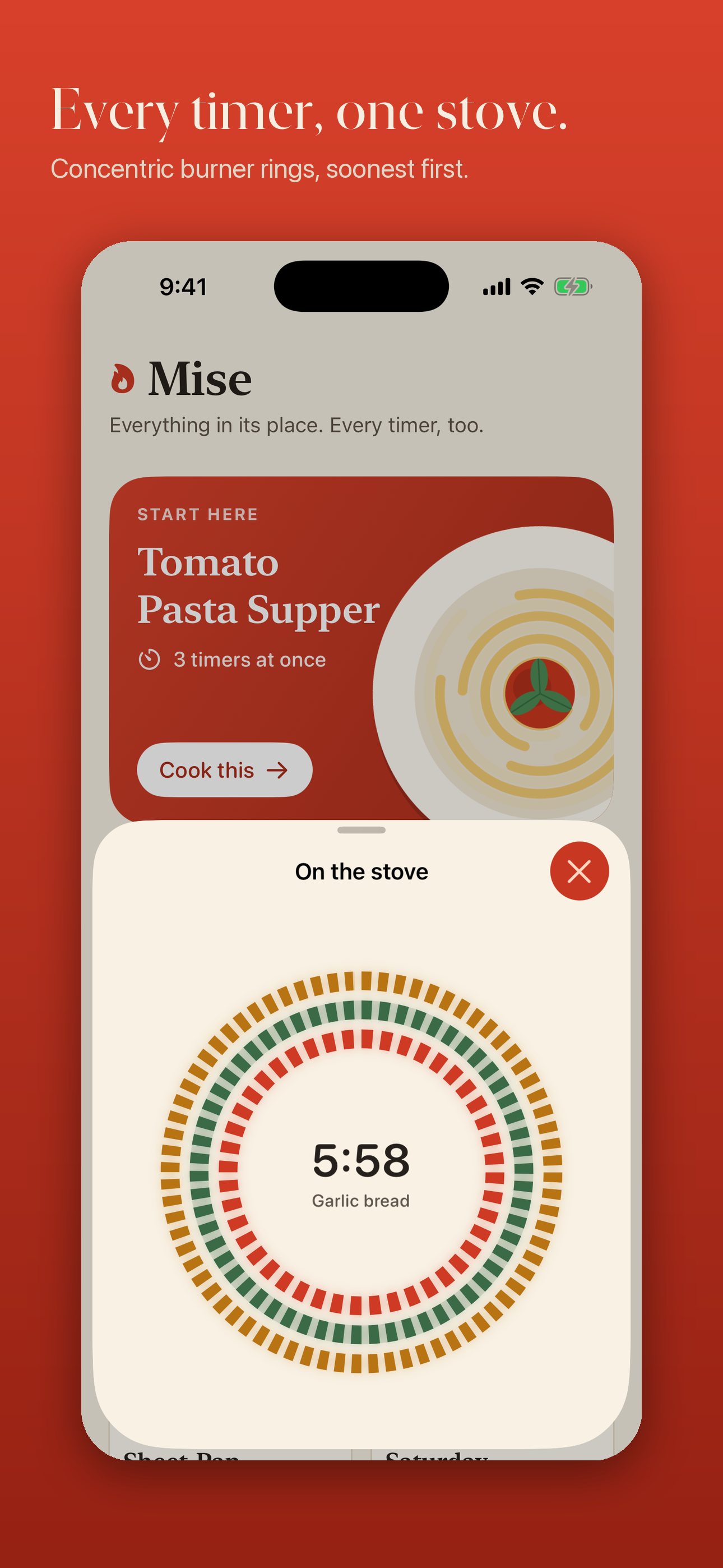
Every timer, one stove: Concentric burner rings, soonest first.
Every timer, one stoveConcentric burner rings, soonest first.
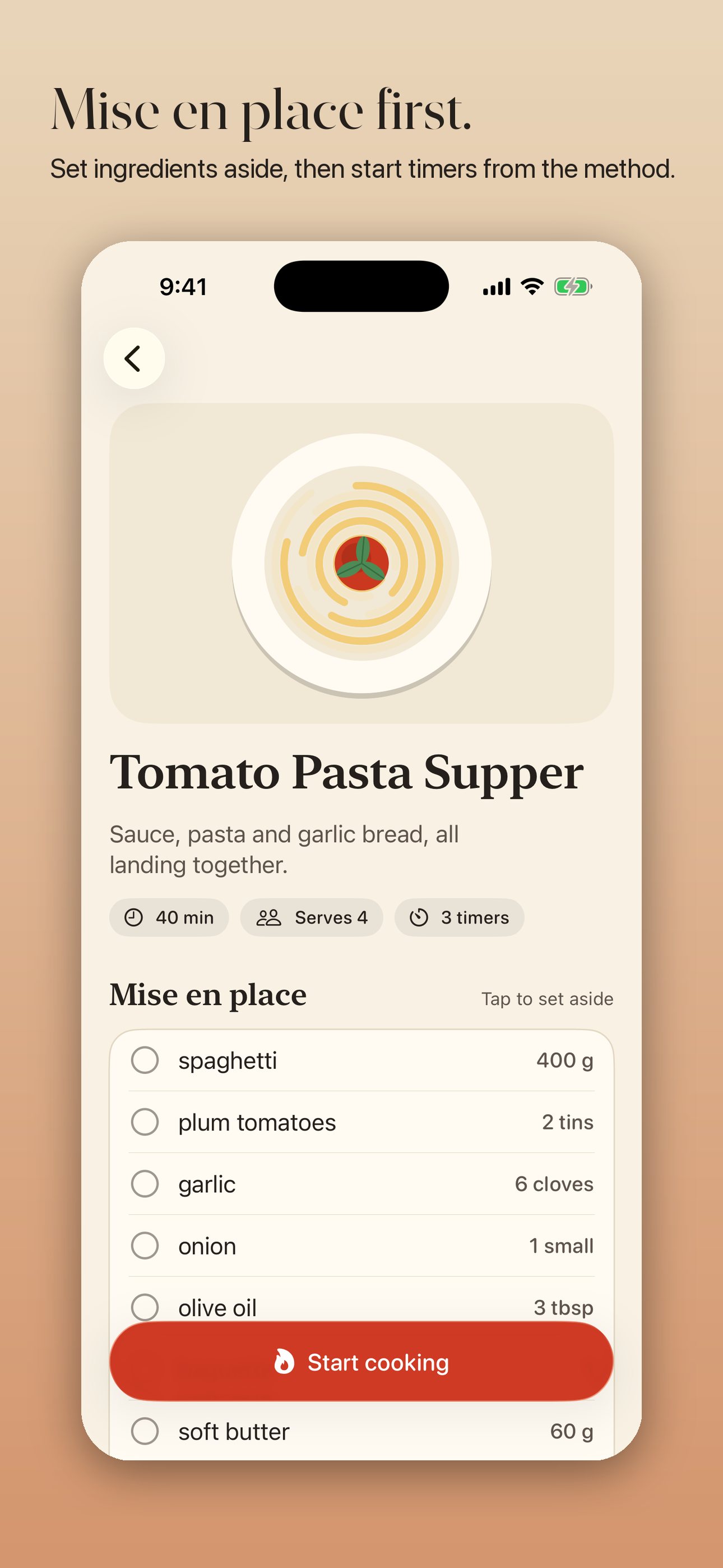
Mise en place first: Ingredients aside, then start timers from the method.
Mise en place firstIngredients aside, then start timers from the method.
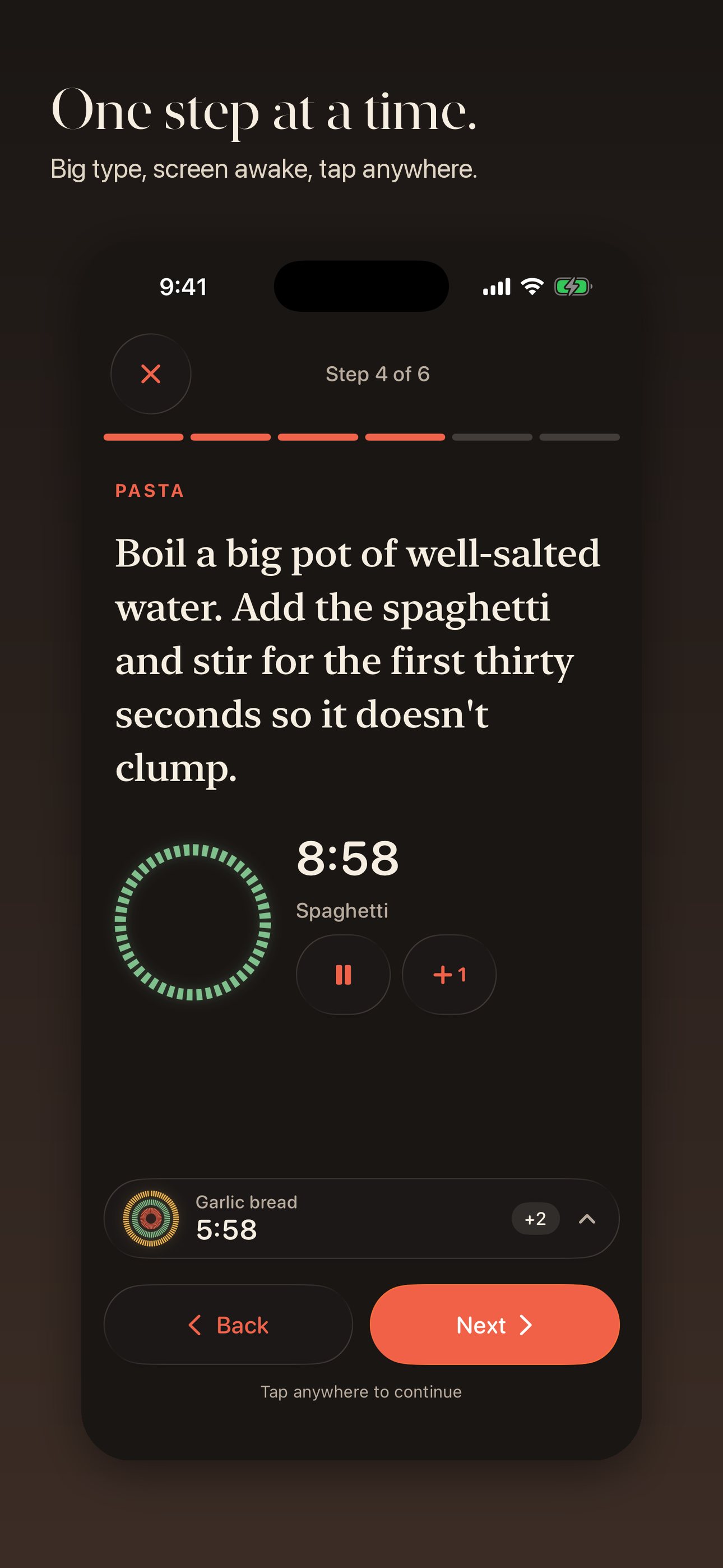
One step at a time: Big type, screen awake, tap anywhere.
One step at a timeBig type, screen awake, tap anywhere.
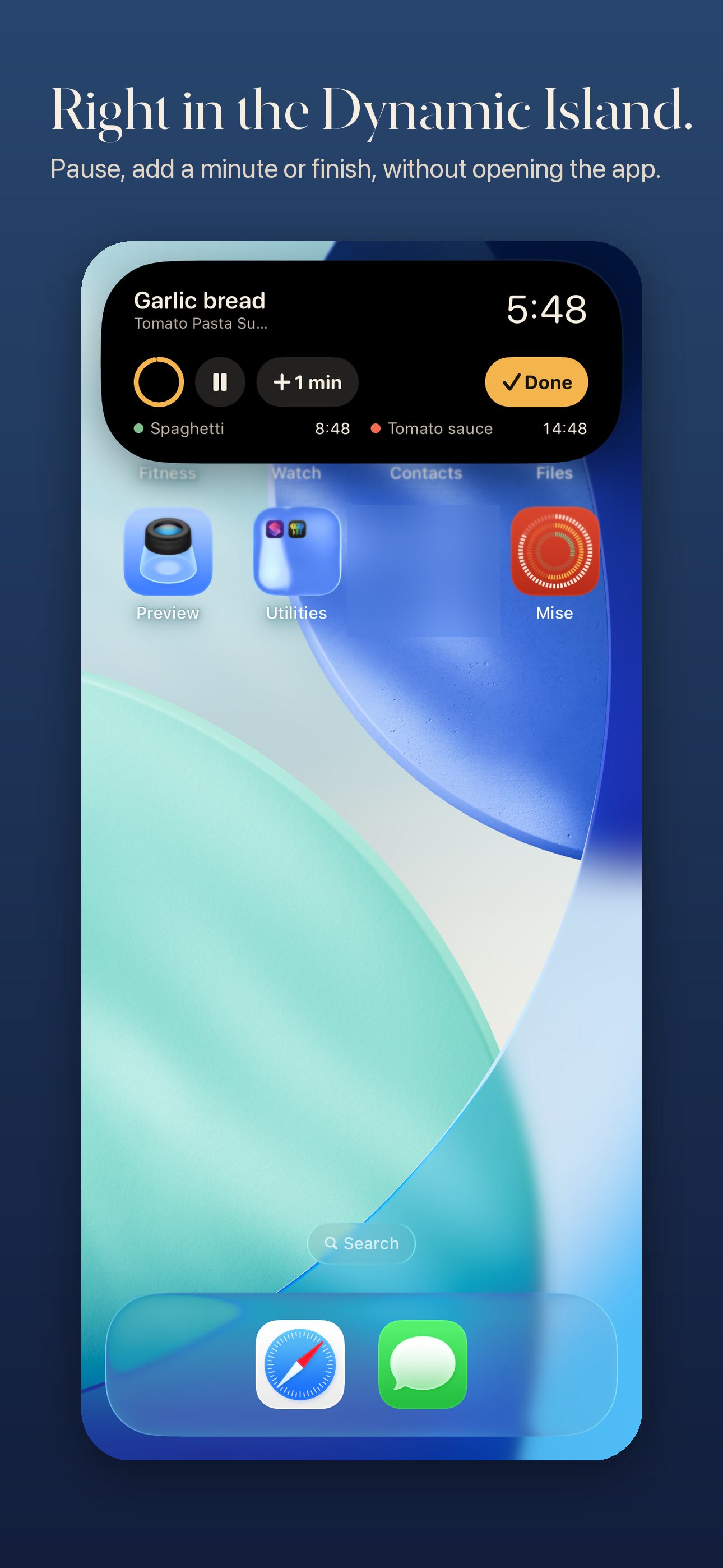
Right in the Dynamic Island: Pause, add a minute or finish, without opening the app.
Right in the Dynamic IslandPause, add a minute or finish, without opening the app.
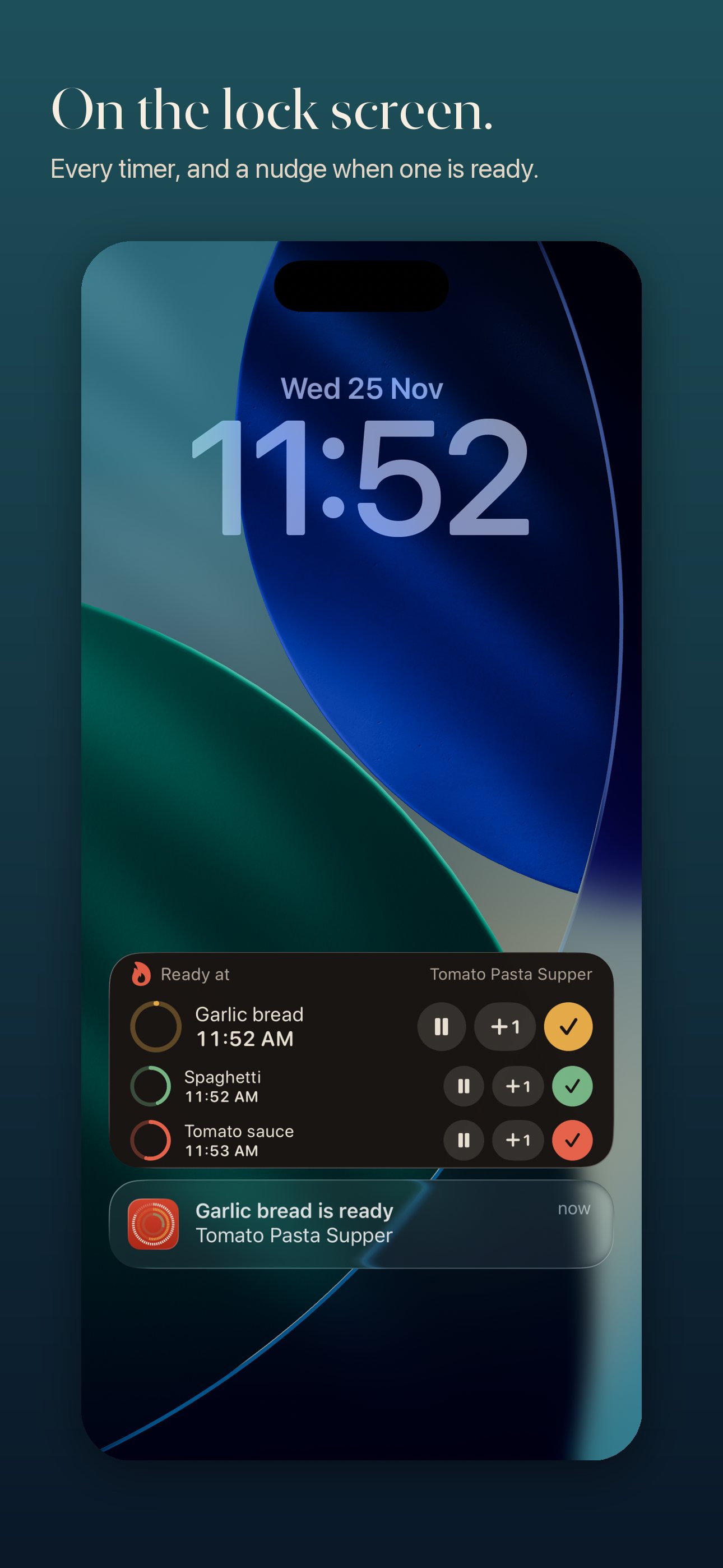
On the lock screen: Every timer, and a nudge when one is ready.
On the lock screenEvery timer, and a nudge when one is ready.
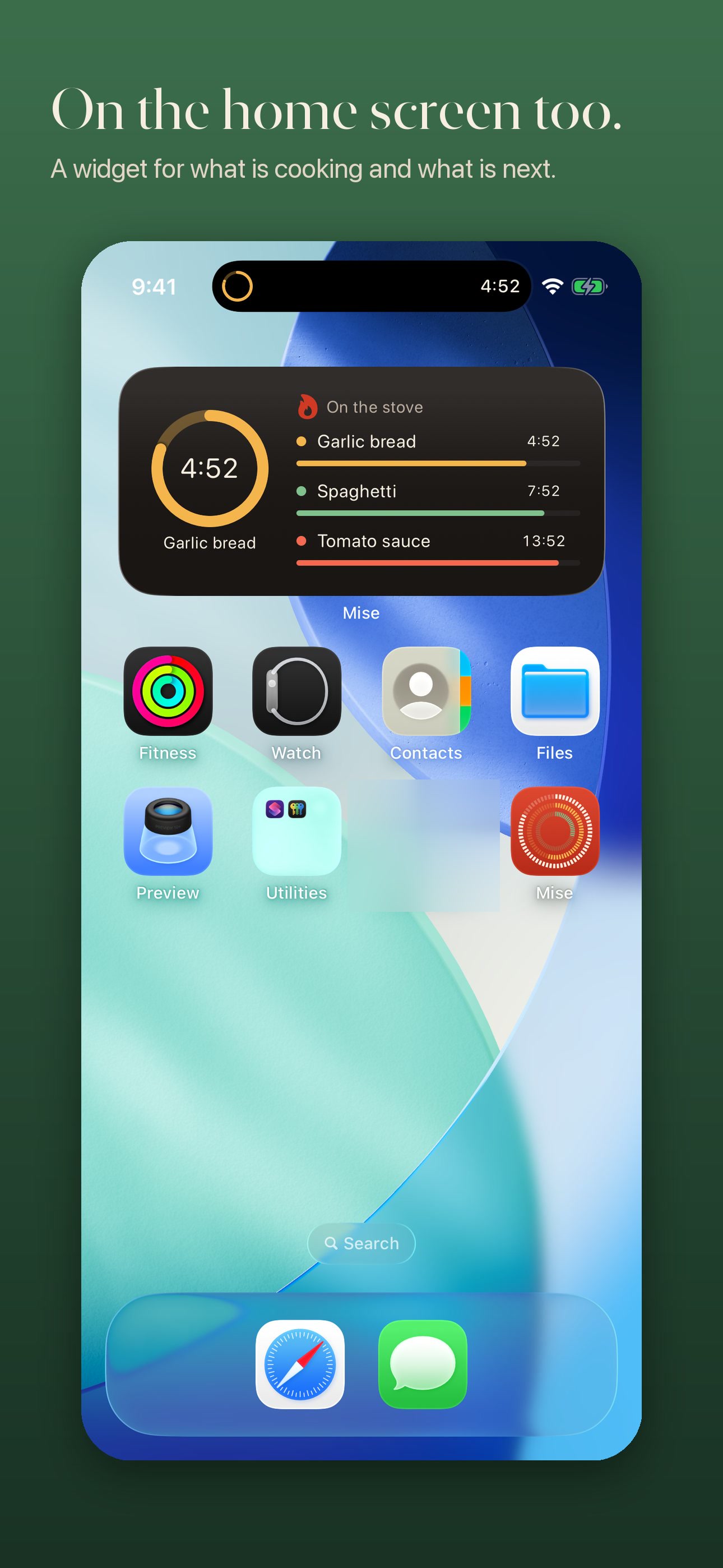
On the home screen too: A widget for what is cooking and what is next.
On the home screen tooA widget for what is cooking and what is next.
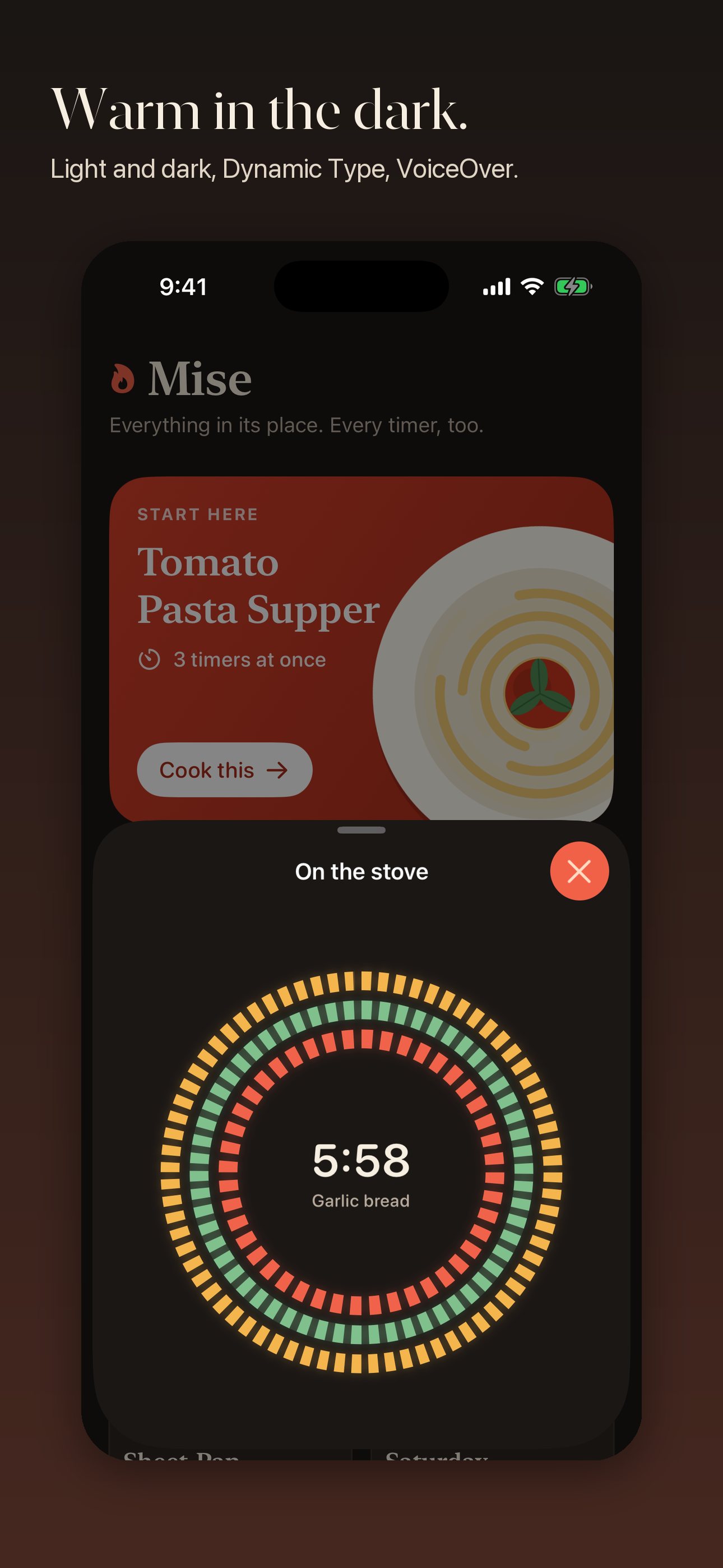
Warm in the dark: Light and dark, Dynamic Type, VoiceOver.
Warm in the darkLight and dark, Dynamic Type, VoiceOver.

Back to the app page Read the case study