Concept project · SwiftUI · iOS 26

Every timer on the stove, in one place.

Mise is a cooking companion that runs every timer in a recipe at once, and keeps them on your lock screen and in the Dynamic Island while your hands are busy.

  • SwiftUI
  • ActivityKit
  • WidgetKit
  • App Intents
  • SwiftData
  • Swift Testing

Screen recording from the iOS Simulator, 36 s. Timers run 20× faster in the recording so one can finish on screen.

1 Mise en place

Dinner has four clocks, and a phone has one timer.

The sauce wants fifteen minutes, the pasta nine, the garlic bread six, and they all have to land together. The built-in timer app counts one thing at a time; people end up with three phones' worth of alarms and no idea which is which. Mise gives each timer a colour, shows them as one stove, and does the arithmetic.

Try it · a working copy of the app's stove

Garlic breadCooking6:00
SpaghettiCooking9:00
Tomato sauceCooking15:00
Live demo in your browser, same rules as the app.

2 Cook

The stove follows you out of the app.

Start a timer and iOS keeps it where you will look: the lock screen, the Dynamic Island, the home screen. Pause, add a minute or take it off the heat without opening anything.

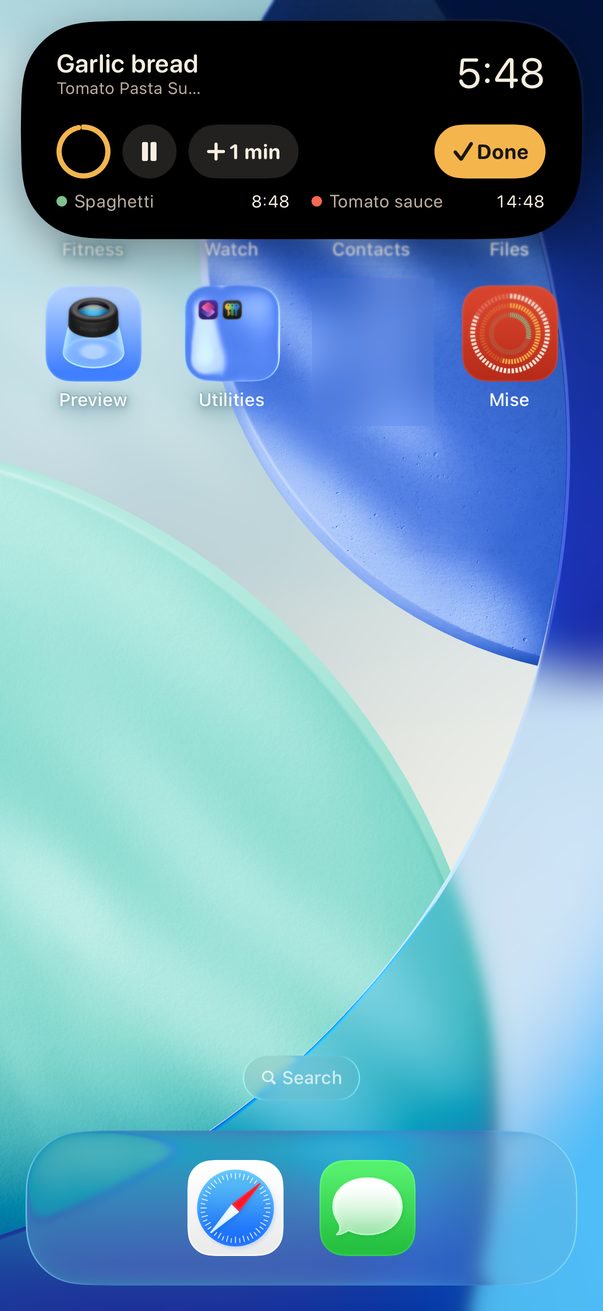
Dynamic Island showing three Mise timers
Dynamic IslandThe soonest timer leads. Long-press for Pause, +1 min and Done.
Lock screen showing three Mise timers
Lock screenEvery timer, each with its own controls, and a notice when one is ready.
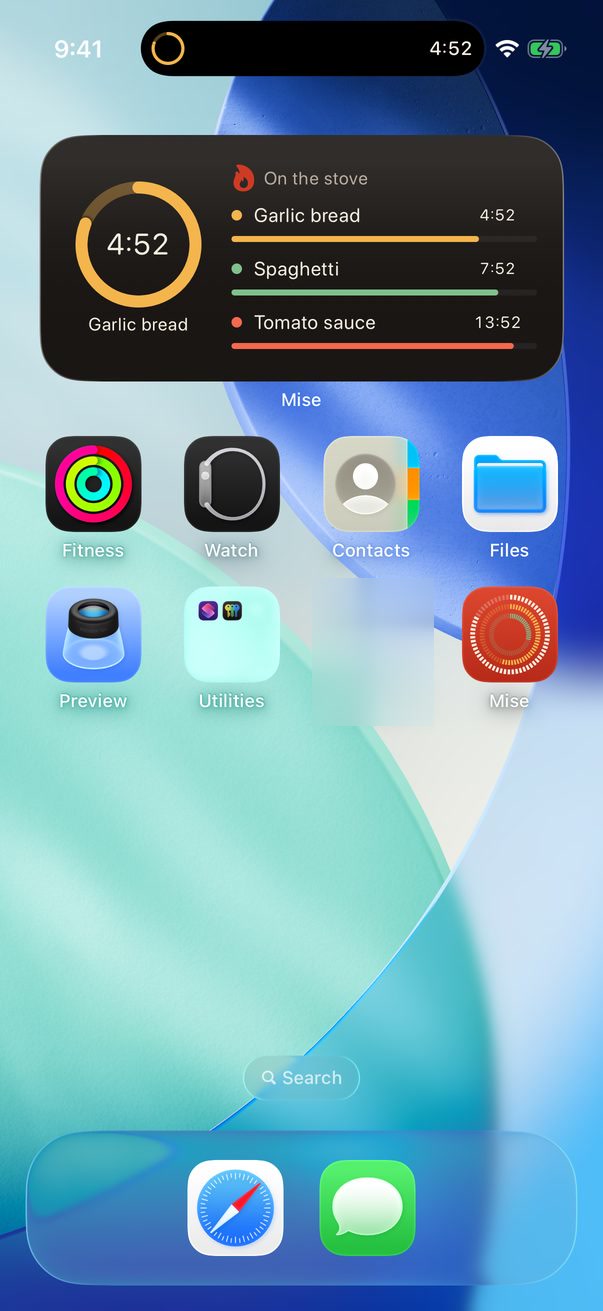
Home-screen widget showing three Mise timers
Home-screen widgetWhat is cooking and what finishes next, ringed and live.

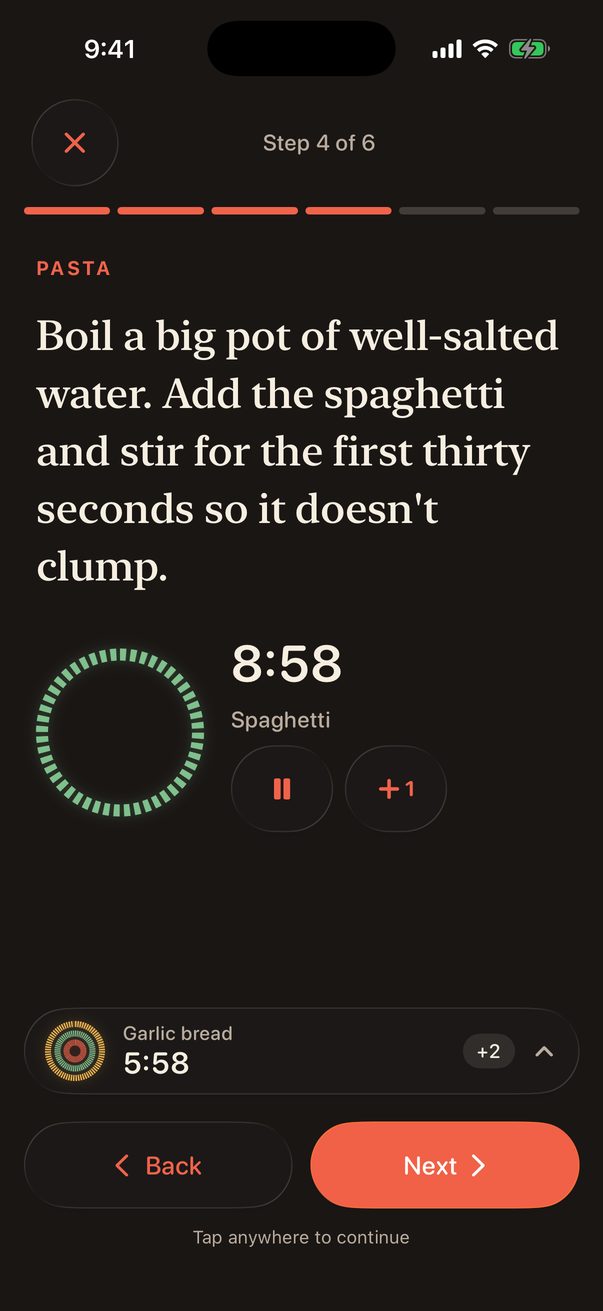
Cook mode: one step, big type.

Hands covered in flour is the real test. Cook mode shows one step at a time in large serif type, keeps the screen awake, and moves on when you tap anywhere. The step's timer is a single big button.

  • Tap anywhere to advance; visible Back and Next, and a VoiceOver “Next step” action.
  • Text scales with Dynamic Type; the layout re-flows at accessibility sizes.
  • Soft haptics on each step, a success buzz when something is ready.
Cook mode: step 4 of 6, boil the pasta, with a running nine-minute timer ring

Warm in light, calm in dark.

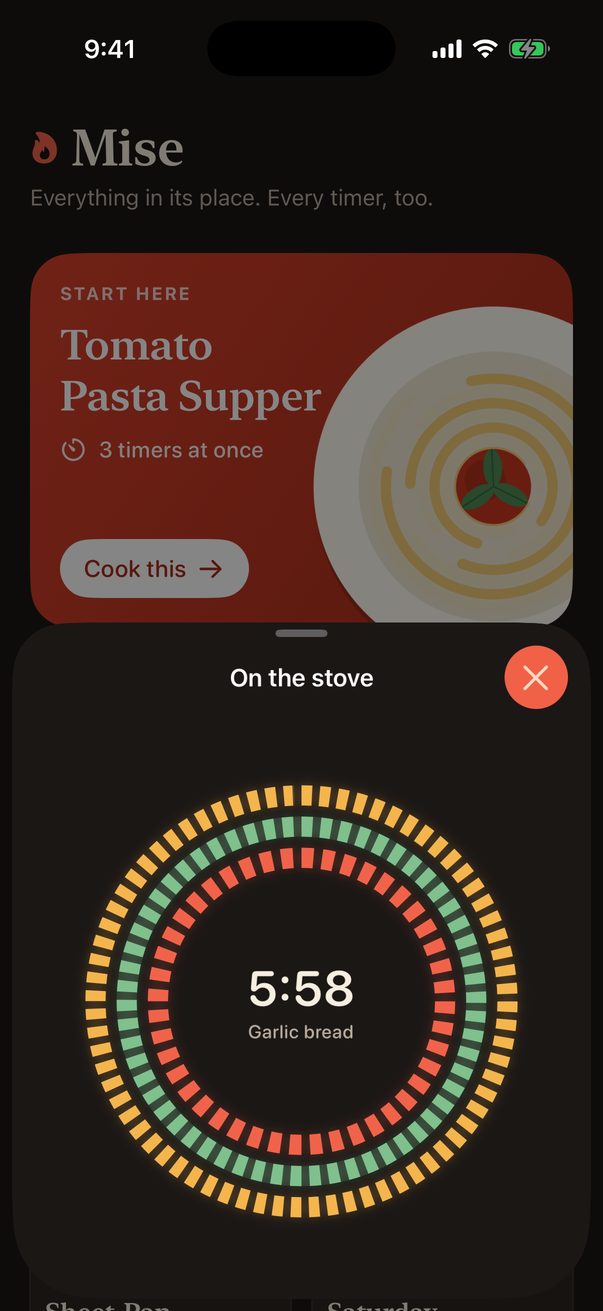
Recipes are generated plates, drawn in code, so there are no stock photos and the app stays small. Tomato for actions, basil for done, and one colour per timer so two rings never look alike.

The stove sheet in dark mode: three concentric rings of ticks in tomato, saffron and basil

3 Plate

Under the glass: how it holds together.

A buyer paying for an iOS app mostly wants to know the hard parts are handled: time, background, extensions. These are the decisions that matter.

A timer engine you can test

Pure Swift with an injected clock. Timers store an end date, so suspending the app, locking the phone or killing the process cannot make them drift.

// A timer stores when it ends, never "seconds left".
enum Phase { case running(end: Date)
            case paused(remaining: TimeInterval)
            case finished(at: Date) }

func remaining(at now: Date) -> TimeInterval {
  switch phase {
  case .running(let end): max(0, end.timeIntervalSince(now))
  case .paused(let left): left
  case .finished: 0 }
}
// time comes from an injected TimeSource, so tests
// "suspend the app for ten minutes" in one line.
21tests passing
0sleep() calls in them

Buttons that run without the app

The Island and lock-screen buttons are LiveActivityIntents. iOS runs them in the app's process and the Live Activity updates straight away.

struct AddMinuteIntent: LiveActivityIntent {
  @Parameter(title: "Timer") var timerID: String

  func perform() async throws -> some IntentResult {
    await MainActor.run { TimerCenter.shared.addMinute(id) }
    return .result()
  }
}
// Button(intent: AddMinuteIntent(timerID: row.id))
// runs in the app's process, from the lock screen.

One activity, not one per timer

iOS decides which of several activities gets the compact Island slot. Mise runs a single “stove” activity holding every timer, soonest first, so the app controls what leads the Island and the lock screen lists all of them. Timers tick on their own through Text(timerInterval:); no push server is needed.

Ready, even when the app sleeps

The activity has a stale date at the next end time, so iOS re-renders a row as “Ready” on schedule. A local notification covers the sound. State is saved to a shared App Group file the widget reads; SwiftData holds the recipes.
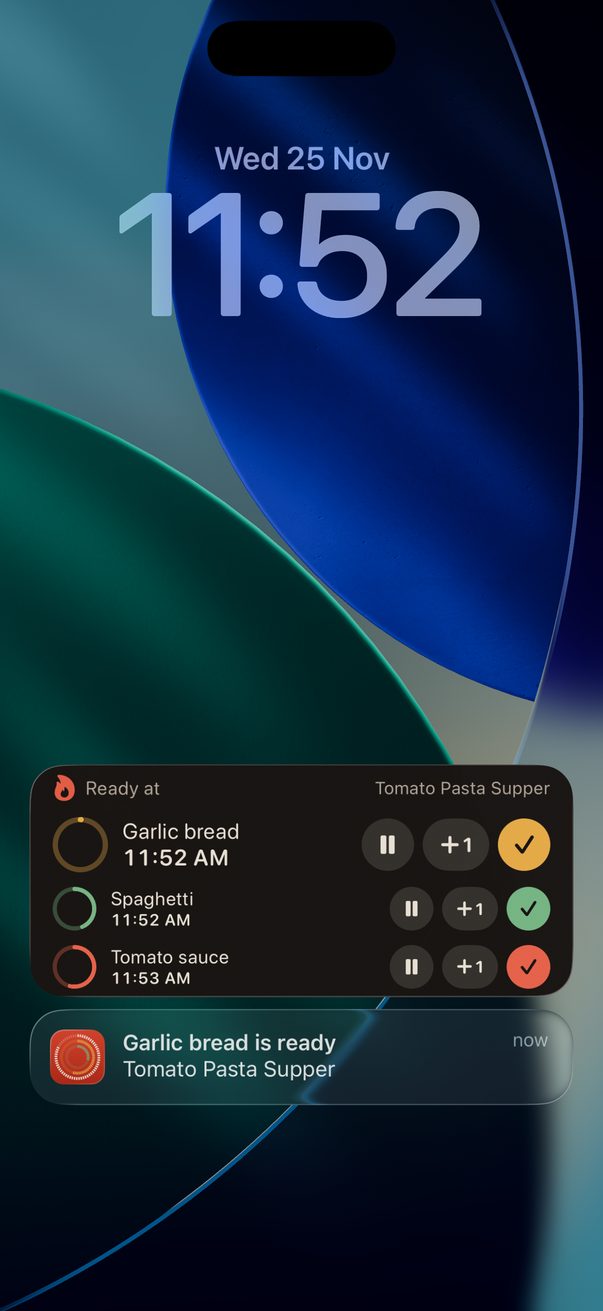
Verified in the iOS Simulator, not on a device. The app, Live Activity, Island, widget and notification were run on an iPhone 17 Pro simulator. The simulator always draws the lock screen dimmed, where iOS hides seconds, so Mise shows the time each timer will be ready there. Haptics and a real kitchen are untested. Concept project: not on the App Store, no accounts, no data collected.